
Among the various backup options offered by EaseUS in its Enterprise suite of tools, EaseUS Todo Backup Workstation is the best option for home users who need to keep a safe copy of their valuable data, clone an entire hard drive to migrate it to a different disk, as well as recover files and folders easily from the program’s virtual drives. Server, Advanced Server, and Technician are the other three license options available within the Enterprise set of backup tools, though those are oriented mainly to small, medium, and even bigger business.
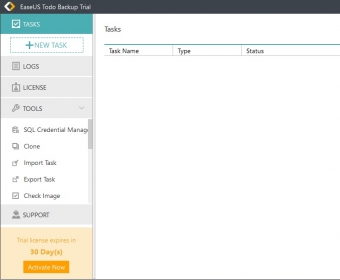
The program opens a nice-to-look-at clean interface where you can create new backup tasks with just one click. It performs all kinds of standard backups – incremental, differential, etc. – that you can either store on a different physical drive (such as an external storage device) or in a virtual machine, where you can browse easily to find and recover all kinds of data. You can save copies of specific files, folders, partitions, and even entire disks. This will allow you to clone your main drive, including the OS and all the installed software tools it may contain, so that you can move to a new SSD or standard hard disk in a hassle-free and quick way.
Backup tasks can be customized in various ways. You can select the level of compression that you want for your backup files, if you want to split them in smaller chunks to fit a specific storage requirement, to encrypt the data and protect your backups with a secure password, produce e-mail notifications, etc. The program’s logs will let you go back to a specific task swiftly and replicate it or use it to recover a specific file or folder.
As a set of bonus tools, the program also offers you the possibility to create emergency (bootable) disks, either on a disc or an external USB device; mount and unmount virtual drives; check data images, and perform various P2V (Physical-to-Virtual) operations, such as copy, recovery, and conversion.
You can use the program’s trial to familiarize yourself with all its extensive functionality. You can also set up backup tasks to check how easy the entire process is. I was not lucky enough to manage the program to perform a successful backup of a small USB pen drive to my laptop’s hard drive, no matter how many times I tried. It may just be that the trial version does not produce any true backups (thus canceling the true purpose of any software trial), though the program may well work like a breeze once you have paid your license fee.






Comments